How to Use a Swim Watch for Triathlon Training: A Complete Guide
Most triathlon watches include a swim mode, but the pool of metrics can feel overwhelming: SWOLF, CSS, stroke count, distance per stroke — where do you start? This guide shows you how to actually use your swim watch data to train more effectively and improve your triathlon performance.
The Most Useful Swim Metrics
Pace per 100m is your primary performance indicator. Most age-group triathlon swimmers target between 1:30/100m and 2:15/100m at CSS (Critical Swim Speed), depending on ability. This is the number to benchmark across sessions and over your season.
SWOLF combines your stroke count per length with your time to produce an efficiency score — lower is better. Improving your SWOLF over a training block indicates better technique and efficiency, even if your raw pace stays the same. It’s one of the most useful long-term trend metrics in the water.
Stroke rate (strokes per minute) helps you monitor whether fatigue is causing a technical breakdown. If your stroke rate drops significantly in the back half of an interval set, your technique is degrading under fatigue — a cue to shorten your intervals or add more rest.
Distance per stroke — available on Garmin and COROS — tells you how far you travel with each pull. Elite swimmers typically cover 1.8–2.2m per stroke; most club-level triathletes fall between 1.4–1.7m.
Setting Up Pool vs Open Water Mode
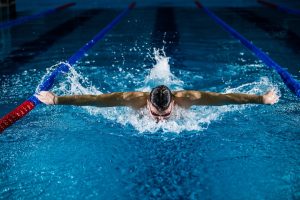
For pool swimming, always set the correct pool length (25m or 50m) before starting — getting this wrong makes all your distance and pace data meaningless. Most Garmin, COROS and Polar watches allow you to set this within the swim profile. Open water mode uses GPS to track distance, but GPS accuracy in water is variable due to the watch being submerged on every stroke — use open water data as a guide rather than a precise training benchmark.
How to Use CSS Data from Your Watch
If you’ve done a CSS test (a 400m time trial followed by a 200m time trial), your watch can anchor threshold pace for interval sets. On Garmin, this feeds into the Lactate Threshold setting. COROS uses Threshold Pace within swim profiles. Once set, programme your CSS pace as the target for interval training — most threshold sets target CSS to CSS + 5 seconds per 100m.
Reading Your Post-Swim Data
After each session, review four things: average pace per 100m for each interval, stroke count per length (are you consistent?), SWOLF trend across the session (does it rise as you fatigue?), and how this session compares to the same set 4 weeks ago. Your watch is most valuable as a long-term feedback tool. Look for trends over months, not individual sessions — a single bad swim tells you very little.
Practical Tips by Watch Brand
- Garmin: Use the Pool Swim profile and enable the Strokes/Length data field. Sync with Garmin Connect to see stroke efficiency trends across the season.
- COROS: Enable SWOLF display in your swim data screens and use the Race Strategy feature to set CSS-based target paces for interval sets.
- Polar: The Polar swimming profile tracks SWOLF and stroke rate; pair with the Polar Flow app to view session efficiency trends over time.