How to Use Your GPS Watch During a Triathlon Race
Your GPS watch contains more data than you will ever use during a race. The challenge is not access to information — it is knowing which numbers to look at, and when. Here is how to use your watch effectively across each leg of a triathlon without letting it distract you from racing.
Before the Race: Settings to Configure
- Set up a triathlon multisport activity — this records swim, T1, bike, T2, and run as separate segments in one continuous file
- Use auto-lap for the bike — set 1km or 5km auto-laps so you can monitor average pace per split without pressing buttons
- Turn off always-on display if your watch supports gesture activation — saves battery on longer races and reduces the temptation to check every minute
- Pre-load the course — some watches allow course navigation; useful for unfamiliar bike routes where junctions could cause you to go off-course
Swim: What to Monitor
In open water, GPS accuracy drops significantly due to signal interference from water and surrounding buildings. Do not trust distance data during the swim. Instead, focus on perceived effort and your sighting rhythm. The one metric worth checking after the swim is elapsed time — so you know whether you are ahead or behind your plan when you hit T1.
Bike: Your Most Data-Rich Leg
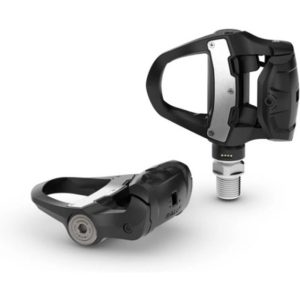
The bike is where your watch or head unit earns its keep. The single most useful metric is average power if you are riding with a power meter, or average speed if not. Set up one simple data screen with 2–3 fields: current power or speed, average power or speed, and elapsed time. Avoid screens with six or more fields — you will spend more time reading than riding.
- Power meter riders: target a specific watt range (e.g. 80% of FTP for 70.3). Do not spike above your target on early climbs — you will pay for it on the run
- Speed-only riders: use your average speed against known targets, and account for wind direction on out-and-back courses
- Heart rate as secondary check: if HR is climbing above zone 3 with 20km still to ride, ease up regardless of what the power or speed numbers say
Run: Keep It Simple
The run is rarely where you lose a triathlon through pacing errors — it is almost always the bike. Still, your GPS watch can help you avoid one classic mistake: going out too fast when your legs feel deceptively fresh after T2.
Set your watch to display current pace and average pace for the run segment. A simple rule: do not run your first kilometre faster than your target average pace. Negative splitting — running the second half faster than the first — is almost always faster overall than going out hard and fading.
After the Race: Reviewing Your Data
The real value of your GPS watch data is in post-race analysis. Upload to Garmin Connect, COROS app, or Training Peaks and compare your planned versus actual pacing across each leg.
- If average bike power was above your target: you paced the bike too hard
- If your run pace dramatically slowed in the second half: you went out too fast or underfuelled during the bike
- If your swim time surprised you: calibrate your pace expectations for similar water conditions next time