Wahoo ELEMNT Bolt 3 vs ELEMNT Roam 3: Which Bike Computer for Triathletes?
Wahoo’s two mid-tier GPS computers overlap enough on price and features that the choice usually comes down to screen size, whether you need on-device navigation, and how much you’re willing to spend. Here’s how the ELEMNT BOLT 3 and ELEMNT Roam 3 actually compare for triathlon training and racing.
Key Specs Compared
- Price — BOLT 3: £299.99 RRP, often available nearer £234. Roam 3: £367.99.
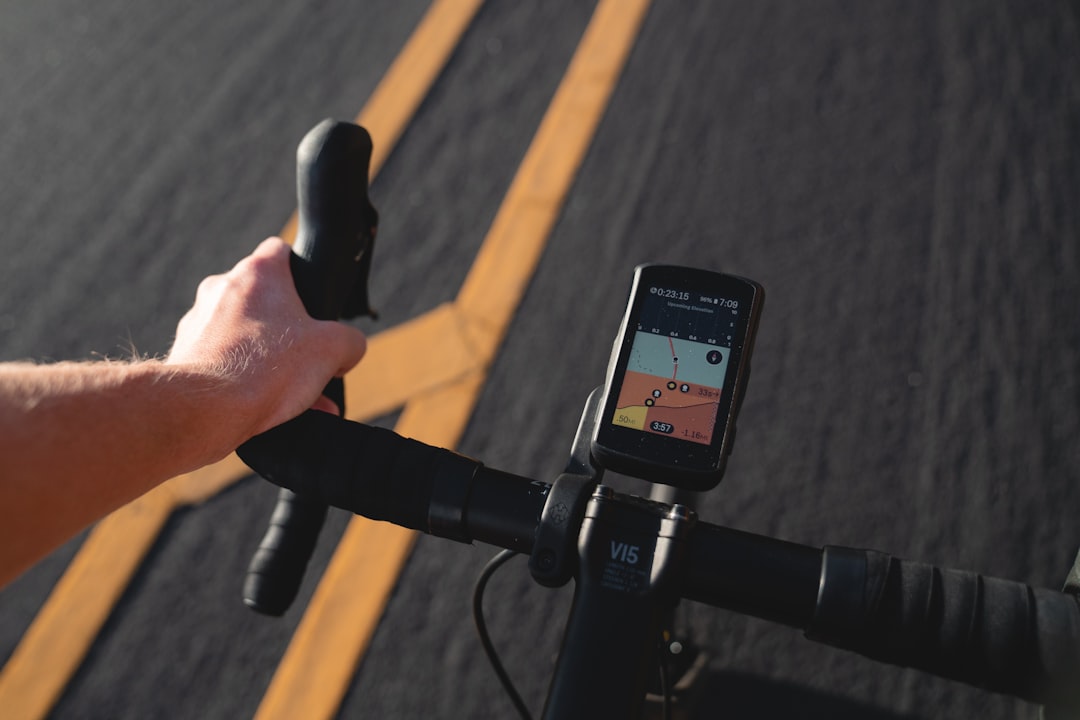
- Screen — BOLT 3: 2.3-inch colour display, 480×720px. Roam 3: 3.0-inch colour display — larger and noticeably easier to read from an aero position or in direct sunlight.
- Battery life — BOLT 3: 20 hours claimed. Roam 3: up to 17 hours. Both comfortably cover a full-distance IRONMAN bike leg with charge to spare.
- Navigation — BOLT 3 has no turn-by-turn routing beyond route following. Roam 3 adds full turn-by-turn navigation with automatic rerouting and a course preview showing upcoming climbs and segments.
- GPS — BOLT 3 introduces dual-band, multi-frequency GNSS (GLONASS, BeiDou, Galileo, QZSS) for this generation — an upgrade the Roam 3 doesn’t carry.
- Size and weight — BOLT 3: 83 × 47 × 24mm, 84g — the smaller, more aerodynamic unit of the two.
Which One Should You Buy?
If you already know your training loops and you’re racing on closed, marshalled courses where turn-by-turn guidance isn’t the point, the BOLT 3 is the smarter buy — it’s roughly £70 cheaper, smaller on the aerobars, and the 20-hour battery gives more headroom for long-course racing. Choose the Roam 3 if you do a lot of your own route planning, ride unfamiliar roads regularly, or simply want the bigger screen for reading data fields at a glance mid-race. Both run the same Wahoo software platform, so a KICKR smart trainer pairs identically with either — this isn’t a case of picking an ecosystem, just picking the right size and feature set for how you ride.
Wahoo ELEMNT BOLT 3
Buying Tips
- Both units use the same out-front mount standard, so upgrading later doesn’t mean buying new mounts.
- If you already own a Wahoo KICKR trainer, either computer syncs indoor sessions automatically — the choice doesn’t affect your turbo setup.
- Neither computer lets you change device settings without the phone app — budget a few minutes with your phone nearby for initial setup.
Care and Maintenance
Rinse either unit with fresh water after wet or muddy rides and dry the mount contacts before reattaching. Keep firmware current via the Wahoo app — updates roll out roughly quarterly and often add new data fields or fix connectivity quirks. Store with a partial charge if either computer will sit unused for more than a few weeks.
This article contains affiliate links. If you purchase through these links, we may earn a small commission at no extra cost to you. This helps support The Triathlete.